Make room for ideas.
Build colorful branches, connect related thoughts and arrange your map. Add notes and tags to keep the details in the right place.
Grow a thought into a plan. Connect your ideas, keep to-dos beside them, and bring them to life with Apple Intelligence.
Free · No account · No adsMac App Store release in preparation · Apple Silicon · macOS 26 or later
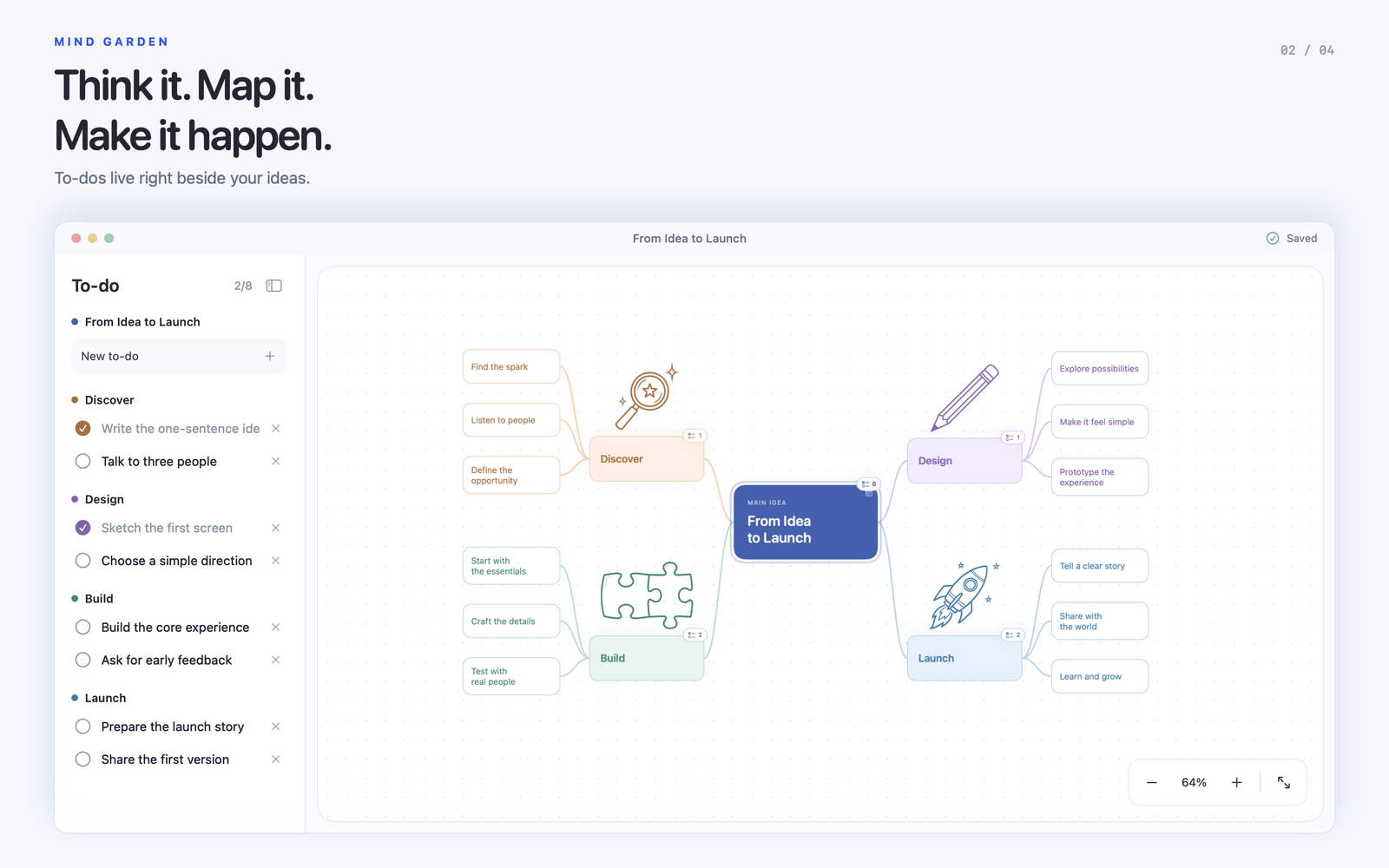
Build colorful branches, connect related thoughts and arrange your map. Add notes and tags to keep the details in the right place.
Add to-dos directly to an idea. See tasks across its branches and mark them complete without switching to another app.
Ask Apple Intelligence for an illustration prompt, then draw with Image Playground. Optional inspiration, right beside your ideas.
Your projects are saved on your Mac. Mind Garden has no account system, advertising or tracking SDKs.
Read the privacy policy →Image Playground is managed by Apple. Available models and processing depend on your settings. Apple Intelligence requires a supported Mac and supported language/region settings.
Yes. Mind Garden is being prepared as a free app for Macs with Apple Silicon, with no subscriptions or in-app purchases. The Mac App Store link will appear here when it is available.
The interface is localized in English, Spanish, French, German, Brazilian Portuguese, Japanese and Simplified Chinese. Lithuanian is also retained. Your own map content stays in the language you write it. AI illustration prompts are generated in English.
No. Mind maps, notes and to-dos work without it. AI prompt suggestions and Image Playground require supported hardware and Apple settings. Availability differs by language and region.
Projects stay on your Mac until you choose a sync folder. Select your iCloud Drive folder to let Apple sync copies across your Macs. You can disconnect it later; existing files remain in the folder.
Email info@easydigital.app. Include your macOS version and what happened. Please avoid sending private project content unless it is needed to explain the issue.